
To cancel Candy AI, log in on the website, open My Profile, click Settings, scroll to the bottom and click Unsubscribe, then confirm. That is the path in Candy’s help centre article, updated on 21 October 2026, and it matches section 10.1 of the terms. Cancelling stops the next charge but refunds nothing. A refund needs a separate email within 24 hours of the payment.
This guide is built from Candy AI’s help centre and terms of service, read on 22 October 2026. We have not paid for Candy, so we quote the company’s own instructions with dates. Candy AI is for adults 18 and over.
Cancel Candy AI in five steps
Candy’s help centre lists these steps:
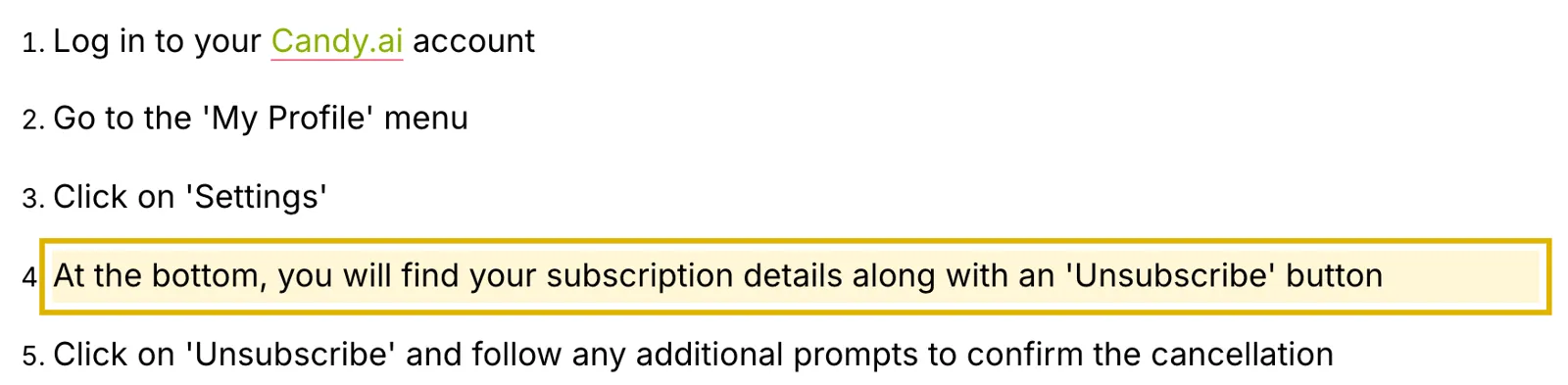
- Log in to your Candy.ai account.
- Open the My Profile menu.
- Click Settings.
- Scroll to the bottom, where your subscription details sit next to an Unsubscribe button.
- Click Unsubscribe and follow the prompts to confirm.
Premium stays on until the end of the period you paid for. The terms say you “will not be charged for the subsequent period”. Keep the confirmation screen or email in case a renewal still goes through.
There is no App Store or Google Play subscription
Candy AI has no app in either store. Its help centre says “Candy.ai does not offer a native mobile app for iOS or Android.” The phone version is a web app you add to your home screen. So you cancel on the website even if you paid with Apple Pay or Google Pay, and iPhone Settings will not list a Candy subscription.
You cannot pause a plan either. The help centre says pausing is “not possible”, so cancelling is the only way to stop renewals.
What happens to your tokens after you cancel
When the paid period ends, your account drops to the free plan, which allows 5 messages in total across all characters. Your characters and chats stay. The help centre says cancelling “does NOT delete your account or your content.”
Tokens are where Candy’s own pages disagree:
| Source | What it says about unused tokens | Date |
|---|---|---|
| Help centre article | “Canceling your subscription does NOT delete your tokens.” | Updated 25 August 2026 |
| Terms of service, section 10.2 | “Any remaining tokens in your account will expire and become unusable.” | Revised 22 September 2026 |
The help article now adds that your token balance “will also not be displayed while on Free”, but that the tokens “will still remain intact”. So a zero balance on the free plan does not show which document Candy follows. Spend the tokens before the period ends, or ask support in writing.

The terms are the newer document and the contract you agreed to. They also say tokens from a cancelled plan “cannot be carried over” if you subscribe again. Spend your tokens before the period ends.
Getting a refund: the 24-hour email
Cancelling does not count as a refund request. Candy’s help centre says “Canceling your subscription within 24 hours does not count as submitting a refund request.” To ask for money back:
- Email support@candymail.ai within 24 hours of the payment.
- Give the email address on your Premium account, so support can find the payment.
- Say clearly that you are asking for a refund as well as cancelling.
- You must have used 20 tokens or fewer.
Only card payments qualify. Requests sent after 24 hours are refused. If a refund goes through, premium access and remaining tokens end at once.
Buyers in the EU and UK have a separate right in section 10.4.3 of the terms. They can withdraw within 14 days of the first purchase, less “a prorated amount that reflects the services consumed”. The right does not cover renewals.
Deleting your account instead
Deleting the account also ends the plan. The help centre says deleting “before the subscription renewal or anniversary date will automatically cancel any active subscription as well.” The path is My Profile, Settings, the Danger Zone area at the bottom, then Delete Account.
Deletion removes your content, but Candy keeps “some data for legally mandated periods.” If you are charged after deleting, email support with your account email and the last four digits of the card.
Disputing a charge with your bank
Candy’s terms treat a chargeback as an instant cancellation. Section 10.2 says premium access and tokens are “revoked at the time the chargeback request is filed.” Disputes under the terms go to the courts of Malta. Try the refund email first if you are inside the 24-hour window.
If you are leaving Candy AI
Our Candy AI review sets out its prices on every plan, and Candy AI alternatives compares the apps people switch to.
We earn a commission if you subscribe through the next link. OurDream publishes $19.99 a month or $119.88 a year on its homepage, and our Candy AI vs OurDream comparison sets the two side by side.
A day before your next billing date, open Settings again and check your subscription details.
What changed on 31 October 2026
We re-checked every step against Candy’s help centre and terms. The five cancel steps and the deletion route are unchanged. We added the account email to the refund steps, because Candy’s refund articles ask for it, plus its new line that tokens stay hidden but intact on the free plan, and a question on downgrading.